
Auto-align
Pages don't line up?
One click to fix it.
When a diff reveals misaligned pages, hit Auto-align and REVIFF corrects scale and offset in one click — then re-runs the comparison cleanly.
A 100% local PDF comparison tool for architectural drawing sets. No cloud upload, no signup, no subscription.
Version 1.0.0.0 · Windows desktop · PDF + images · Local processing
Split mode supports side-by-side checks, and Diff mode highlights added content in red and removed content in blue.
What makes it different
Alignment that works. Differences you can read. Markup that's ready to hand off.
One click to fix it.
When a diff reveals misaligned pages, hit Auto-align and REVIFF corrects scale and offset in one click — then re-runs the comparison cleanly.
Crop it. Realign just that area.
Select a region and realign just that area independently. Works when different parts of a sheet were revised at different scales or positions.
Every change, circled automatically.
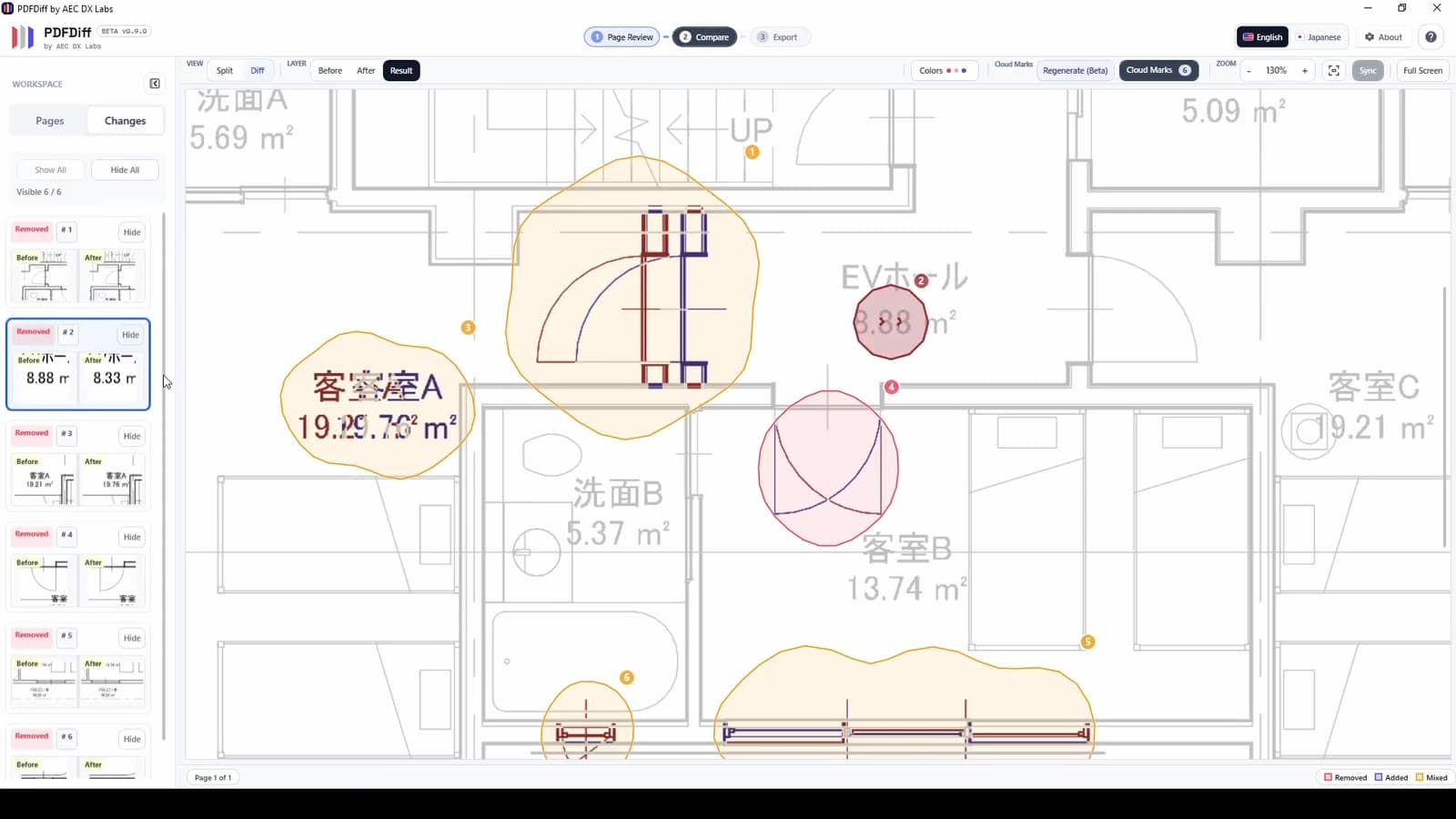
REVIFF detects modified regions and draws cloud marks around them — the standard engineering annotation. Nothing slips through. Export is ready to hand off.
Quick Answers
Drawing comparison stays on the local Windows machine.
No signup, no subscription, no premium feature locked, no watermark.
Microsoft Store is the install and update path.
Yes. REVIFF is free. No signup, no subscription, no premium feature locked, and no watermark.
No. The comparison workflow runs locally on your Windows PC.
REVIFF supports PDF and common image formats including PNG, JPG, JPEG, BMP, GIF, TIF, and TIFF.
Why free
REVIFF began as PDF Diff — a personal workflow research project built by an architectural designer in Tokyo under AEC DX Labs, to test whether manual revision checking could be simplified without changing how teams already work.
The core comparison tool is free. No signup, no watermark — the goal is research and practical value for the AEC community. Because comparison runs 100% locally, there is also no cloud infrastructure involved.
REVIFF continues that research — now on Microsoft Store, free for personal and commercial use.
FAQ
Core trust signals stay visible alongside the questions people ask first.
Common Questions
Yes. REVIFF is free. No signup, no subscription, no premium feature locked, and no watermark.
No. The comparison workflow runs locally on your Windows PC.
REVIFF supports PDF and common image formats including PNG, JPG, JPEG, BMP, GIF, TIF, and TIFF.
Microsoft Store keeps install, updates, and product identity clearer for Windows users.